Showing posts with label Browsers. Show all posts

Wednesday, November 4, 2009

Avant Browser 11.7 Build 41

A fast and freeware multi-window browser with Popup Stopper, Cleaner and Flash Ads Filter


Avant Browser - the top rated multi-window browser in Internet, which adds a batch of features and functionalities to Internet Explorer.

Its user-friendly interface brings a new level of clarity and efficiency to your browsing experience, and frequent upgrades have steadily improved its reliability. Avant Browser is available now in 41 languages worldwide.


Opera Web Browser 10.10 Build 1848 Beta / 10.01 Build 1844 Final

Opera Web Browser screenshot 1One of the fastest, smallest and smartest full-featured web browser

The most full-featured Internet power tool on the market, Opera includes tabbed browsing, pop-up blocking, integrated searches and advanced functions like Opera's groundbreaking e-mail program, RSS Newsfeeds and IRC chat. And because we know that our users have different needs, you can customize the look and content of your Opera browser with a few clicks of the mouse.


The Opera Web browser offers several new features for functionality, security, usability, customization, searching, saving, taking shortcuts and accessing Web content.


Whether you're going to work, working from home, developing Web sites, or just looking for a quick, solid browser that can help you quickly access the Internet, Opera delivers a superior Web experience for every aspect of your online life, with lots of tech tools for power users.


Firefox 3.6 Beta 1 / 3.5.4 / 3.0.15 / 2.0.0.20

The browser provides virus, popup and spyware protection in a simple, easy to use tabbed interface

The Firefox project (formerly Firebird, which was formerly Phoenix) is a redesign of Mozilla's browser component, written using the XUL user interface language and designed to be cross-platform.


Firefox is a small, fast and very easy to use browser that offers many advantages over other web browsers, such as the ability to block pop-up windows and the tabbed browsing.


Pale Moon 3.5.4

Pale Moon screenshot 1Customly speed optimized Firefox browser

Why settle for a basic build of your Firefox browser on Windows Operating Systems when you can have one that performs 25% faster? Mozilla does not provide optimized browser packages for Windows, while many Linux users get the advantage of a browser built specifically for their system.


That needs to change! So, here is the Pale Moon project. Pale Moon is a custom built and optimized Firefox-based browser.


Monday, October 26, 2009

Microsoft Internet Explorer v8.0 (XP/2003 64-bit)


Fast, safe, and easy. Internet Explorer 8 takes the web experience beyond the page for quicker and more reliable for browsing with peace of mind.
Internet Explorer provides improved navigation through tabbed browsing, web search right from the toolbar, advanced printing, easy discovery, reading and subscription to RSS feeds, and much more. IE also provides security through a robust new architecture, security features that help defend against malicious software, and new ways to better protect against the theft of personal data from fraudulent websites. It has improved support for cascading style sheets, a rich RSS feeds platform, and robust tools for deploying and managing Internet Explorer in large enterprise environments.

Internet Explorer 8 includes the latest protections against a range of security and privacy threats on the Internet, tools and resources to plan a deployment of Internet Explorer 8, new features to help users complete browsing tasks more quickly and easily, and updates to compatibility with Internet Explorer 7 sites and applications.

Microsoft Internet Explorer v8.0 (Vista)


Fast, safe, and easy. Internet Explorer 8 takes the web experience beyond the page for quicker and more reliable for browsing with peace of mind.
Internet Explorer provides improved navigation through tabbed browsing, web search right from the toolbar, advanced printing, easy discovery, reading and subscription to RSS feeds, and much more. IE also provides security through a robust new architecture, security features that help defend against malicious software, and new ways to better protect against the theft of personal data from fraudulent websites. It has improved support for cascading style sheets, a rich RSS feeds platform, and robust tools for deploying and managing Internet Explorer in large enterprise environments.

Internet Explorer 8 includes the latest protections against a range of security and privacy threats on the Internet, tools and resources to plan a deployment of Internet Explorer 8, new features to help users complete browsing tasks more quickly and easily, and updates to compatibility with Internet Explorer 7 sites and applications.

Microsoft Internet Explorer v8.0 (Vista 64-bit)


Fast, safe, and easy. Internet Explorer 8 takes the web experience beyond the page for quicker and more reliable for browsing with peace of mind.
Internet Explorer provides improved navigation through tabbed browsing, web search right from the toolbar, advanced printing, easy discovery, reading and subscription to RSS feeds, and much more. IE also provides security through a robust new architecture, security features that help defend against malicious software, and new ways to better protect against the theft of personal data from fraudulent websites. It has improved support for cascading style sheets, a rich RSS feeds platform, and robust tools for deploying and managing Internet Explorer in large enterprise environments.

Internet Explorer 8 includes the latest protections against a range of security and privacy threats on the Internet, tools and resources to plan a deployment of Internet Explorer 8, new features to help users complete browsing tasks more quickly and easily, and updates to compatibility with Internet Explorer 7 sites and applications.

Microsoft Internet Explorer v8.0


Fast, safe, and easy. Internet Explorer 8 takes the web experience beyond the page for quicker and more reliable for browsing with peace of mind.
Internet Explorer provides improved navigation through tabbed browsing, web search right from the toolbar, advanced printing, easy discovery, reading and subscription to RSS feeds, and much more. IE also provides security through a robust new architecture, security features that help defend against malicious software, and new ways to better protect against the theft of personal data from fraudulent websites. It has improved support for cascading style sheets, a rich RSS feeds platform, and robust tools for deploying and managing Internet Explorer in large enterprise environments.

Internet Explorer 8 includes the latest protections against a range of security and privacy threats on the Internet, tools and resources to plan a deployment of Internet Explorer 8, new features to help users complete browsing tasks more quickly and easily, and updates to compatibility with Internet Explorer 7 sites and applications

Google Chrome v4.0


This is a newer but beta version of Google Chrome. Google Chrome is a browser that combines a minimal design with sophisticated technology to make the web faster, safer, and easier.

Google Chrome v3.0.195.27


Google Chrome is a browser that combines a minimal design with sophisticated technology to make the web faster, safer, and easier.

  • Search from the address bar
    Type in the address bar and get suggestions for both search and web pages.
  • Thumbnails of your top sites
    Access your favorite pages instantly with lightning speed from any new tab.
  • Private browsing
    Open an incognito window when you don't want to save your browsing history.
  • Download 


Sunday, October 25, 2009

Avant Browser 11.7.41

Avant Browser

For a while now, computer users have been waking up to the real threats that exist while browsing the web. Every day, more turn their back on the established vulnerabilities of Internet Explorer and opt for the hottest open source project on the net, Mozilla’s Firefox. But there are plenty of alternatives that offer great features, and one of those is Avant Browser.

Based on Internet Explorer, Avant will import all your favorites automatically and also keep your settings intact. As such it makes a good alternative to the popular Firefox browser, which shuns all things IE, and may seem slightly too foreign from the conventions that many users have built up while using Microsoft’s browser. Although Avant Browser is based on the Internet Explorer engine, it doesn’t fall victim to the same security vulnerabilities (although no-one is claiming that it’s invulnerable), and while it’s at it, adds some great tools designed to enhance your browsing experience.

The Flash blocker is an effective way to keep memory usage of the browser to a minimum or to simply cut out those over-elaborate ads that invade and take over many web sites. To appeal to a wider audience, there are quick links that let you quickly translate pages to a wide selection of languages, or you can customize the look of the browser using the many skins that are included by default. Of course, no modern browser could claim to be complete without tabbed browsing and Avant really delivers the goods with a system that allows you to even reload tabs after you’ve closed them.

In fact, this browser has some of the best extras that we’ve seen to date, in particular the system whereby tabs can be resized like normal program windows letting you display multiple site windows side-by-side, within one browser window. There‘s also a useful toolbar item that displays tags describing the page that you’re on. Click on a tag and you open a list of site that result from a search using that tag or keyword; brilliant! And the piece de résistance is an automatic session saver that lets you open up all the sites you were browsing when you last closed the program.

Avant Browser is relatively unknown as a mainstream browser and as such is not restricted from experimenting and taking the best ideas from the big hitters, as well as adding its own nuggets to the mix. What you get is a very impressive selection of tools in a browser that will even run your Microsoft update without objections. Definitely worth consideration if you are thinking of changing browser.

Languages:

English, Spanish, German, French, Arabic, Argentinean, Catalan, Chinese Simp, Chinese Trad, Czech, Danish, Dutch, Euskera, Finnish, Gallego, Greek, Hindi, Italian, Japanese, Korean, Norwegian, Polish, Portuguese BR, Russian, Swedish, Turkish

Recent changes in Avant Browser:

  • Fixed an HTML bug which prevented a sidebar from being displayed on "http://www.kabelmaxx.nl"
  • Fixed a bug which mischecked a bookmark url availability
  • Fixed a bug where the address bar drop down list kept showing when switching to other applications
  • Fixed a bug where disabling "auto refresh all tabs" didn't work
  • Fixed a bug where for some people, going to Google and typing "blocker.swf" in the search bar, Avant attempted to download the file from "http://localhost/res/blocker.swf"
  • Fixed a bug which caused the "Search the current site" button to use Avantfind instead of your default search engine

OS requirements for Avant Browser:

  • OS: Win98/98SE/Me/2000/NT/XP/Vista/7

Saturday, October 24, 2009

xB Browser 2.9.4.29

xB Browser screenshot 1

You're just a click away from anonymous surfing right now!

The xB Browser application was designed to be a free anonymous web browser.The benefits of xB Browser is that it allows you to securely and anonymously surf the internet, bypass firewalls and website censorship. For enhanced privacy, xB Browser clears history of browing and deletes cookies when you close the browser.

The main advantages compared to other anonymous web browsers is that xB Browser requires no configuration, technical knowledge, or installation in order to achieve anonymity. xB Browser is open source so you can feel safe knowing what goes into xB Browser. Additionally, it is even portable on a USB stick so you can take it to work, school, or on vacation.

External Mirror 1

Friday, October 23, 2009

Firefox 3.6 Alpha 1 / 3.5.3 / 3.0.14 / 2.0.0.20

Firefox screenshot 1

The browser provides virus, popup and spyware protection in a simple, easy to use tabbed interface

The Firefox project (formerly Firebird, which was formerly Phoenix) is a redesign of Mozilla's browser component, written using the XUL user interface language and designed to be cross-platform.
Firefox is a small, fast and very easy to use browser that offers many advantages over other web browsers, such as the ability to block pop-up windows and the tabbed browsing.


Secure Download (US) - 3.5.3 [EXE]

Secure Download (RO) - 3.5.3 [EXE]

External Mirror 1 - 3.6 Alpha [EXE]

External Mirror 2 - 3.0.14 [EXE]

External Mirror 3 - 2.0.0.20 [EXE]

External Mirror 4 - 1.5.0.12 [EXE]

Spanish installer [EXE]

French installer [EXE]

Italian installer [EXE]

Romanian installer [EXE]

German installer [EXE]

Finland installer [EXE]

Japan installer [EXE]

Korea, Democratic People\'s Republic of installer [EXE]

Belarus installer [EXE]

Bulgaria installer [EXE]

Hungary installer [EXE]

Lithuania installer [EXE]

Latvia installer [EXE]

Netherlands installer [EXE]

Poland installer [EXE]

Slovenia installer [EXE]

Slovakia (Slovak Republic) installer [EXE]

Thailand installer [EXE]

Turkey installer [EXE]

Indonesia installer [EXE]

Iceland installer [EXE]

Russian installer [EXE]

Ukraine installer [EXE]

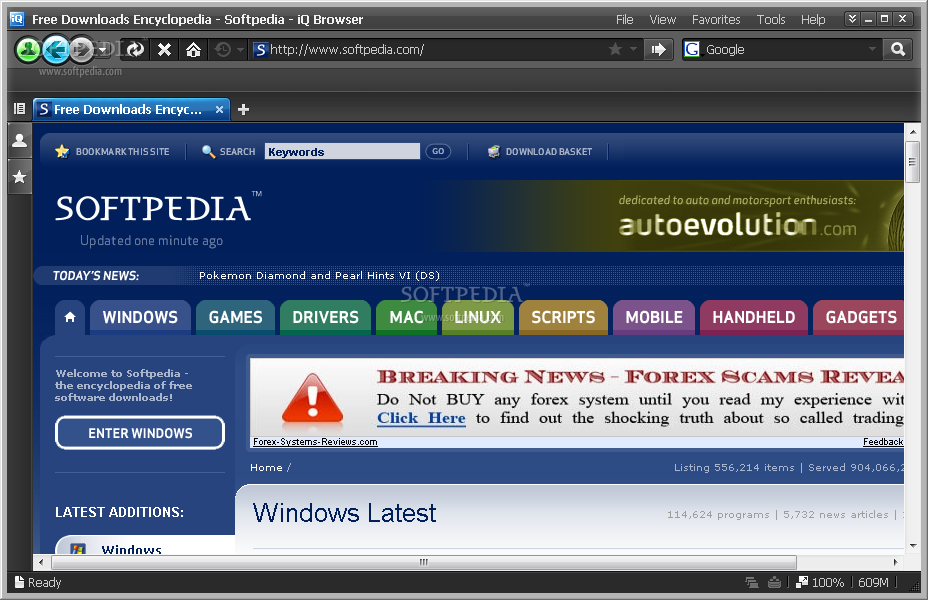
IQ browser 0.9.8 Build 1316

IQ browser screenshot 1

A simple and powerful browser

IQ browser is an easy-to-use, stable,and faster internet browser.
iQ comes with a smarter memory optimization system, requiring just 2.268 MB of RAM at startup,less than one third of Internet Explorer 7 and one tenth of Firefox. Memory optimization makes iQ faster to start, and quicker at loading pages, so you can spend more time enjoying the Web. iQ is also multi-threaded, which is a fancy tech-word that means it delivers faster multi-tab browsing, enhanced stability and better JavaScript execution. hope you enjoy this new product.


Secure Download (US) [EXE]


Secure Download (RO) [EXE]

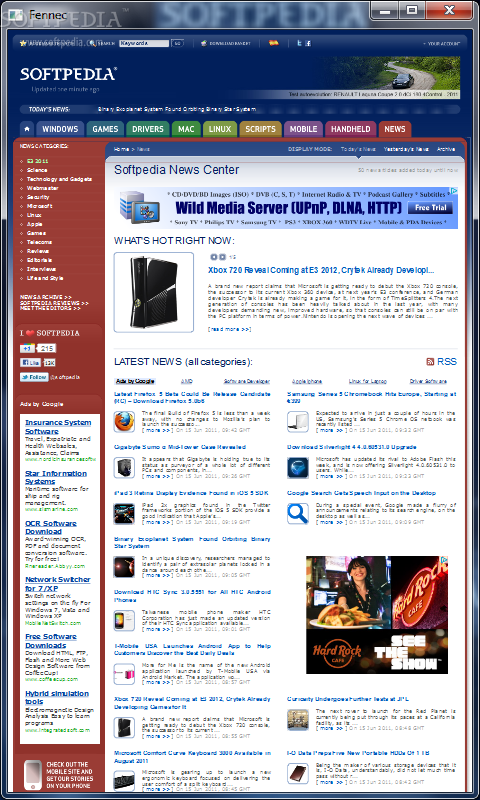
Mozilla Fennec 1.0 Beta 3

Mozilla Fennec screenshot 1

Performance, memory consumption and on-device footprint

Fennec is the code name of the effort to build a mobile version of Firefox. Fennec is part of the Mozilla effort to enable all mobile phones with a Mozilla application.
The overall goals for Mobile Firefox are:
· provide Mozilla’s standards-based open-source browser engine, optimized for mobile, that can be embedded by device manufacturers and others;
· a full-featured mobile browser including support for XUL-based add-ons, delivering on Firefox’s key principles of ease-of-use, security and accessibility;
· grow the Mozilla community in the mobile space;
· provide tools and documentation to help developers develop, debug and deploy web applications;
· do all of this work in the shared Mozilla source repositories so all platforms, desktop and mobile, benefit each other


Secure Download (US) [ZIP]


External mirror 1 [ZIP]

32bit Web Browser 09.08.01

32bit Web Browser screenshot 1

Browse the web fast easy fun profitably while suppressing annoying advertisement

32bit Web Browser is easy to use and very fast. This web browser makes browsing the web fun and profitable. 32bit Web Browser takes up little hard drive space and loads fast too.
32bit Web Browser has features not found in other web browsers, such as Smart Bookmarks with many searching options.
32bit Web Browser remembers what you like. Import Netscape bookmarks and Microsoft Internet Explorer Favorites into the 32bit Web Browser Smart Bookmarks.
32bit Web Browser is a program that allows you to navigate over the internet.
The four options for handling New Web Browser Windows let you suppress annoying pop-up windows full of advertisement or other unwanted information. There are four lists of URLs, each react to the internal [New Web Browser Windows] command in a different way.
If you add a URL to one of these group lists, it will react like that lists definition, instead of using the selected default [New Web Browser Windows] command. Browse the World Wide Web the easy, fast, and fun way.


Mirror (US) [EXE]


External Mirror 1 [EXE]

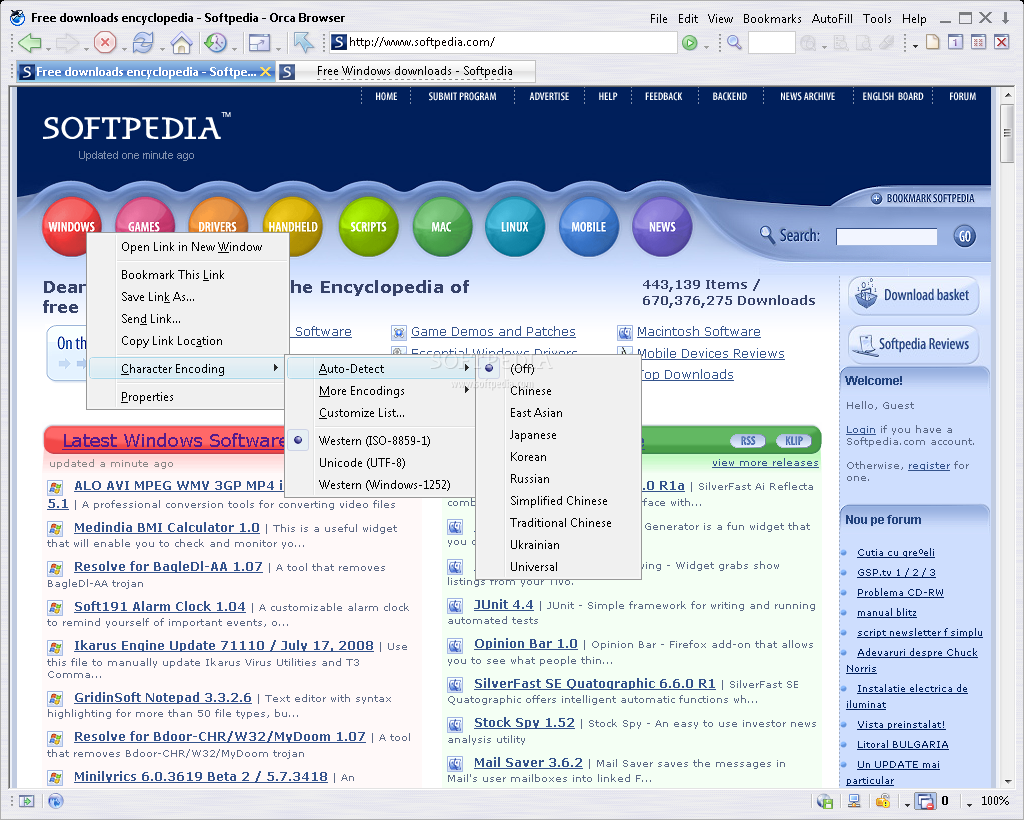
Orca Browser 1.2 Build 5

Orca Browser screenshot 1

Fast browser with RSS Reader, AutoFills, Online Storage, Cleaner and Ads Filter

Orca Browser is a fast, stable, user-friendly, versatile tabbed web browser, which features with many functions such as Pop-up Stopper and Flash Ads Filter, AutoFills, Online Profile Storage, RSS Reader, Safe Recovery, Integrated Cleaner etc.
If you click a link in the web page with the middle mouse button, the link will be opened in a new window in the background. This feature is extremely useful for opening posts in forums. Orca Browser also comes with customizable Mouse Gestures, with which you can easily navigate the browser by moving the mouse.
The Orca browser can help keep your browsing private by cleaning: Typed Addresses, History of Visited Web Sites, Cookies, Auto-Complete Passwords and Temporary Internet Files.


Secure Download (US) [EXE]


Secure Download (RO) [EXE]

Iamotor WebBrowser 1.1.0.0

Iamotor WebBrowser screenshot 1

An internet browser that can be used by anyone.

Iamotor WebBrowser is a simple to use browser for your desktop computer that gives you the ability to surf the internet with great speed and accuracy.


Mirror (US) [EXE]


Mirror (RO) [EXE]


External Mirror 1 [EXE]

Element Browser 2.5 Alpha 1 / 2.0.10

Element Browser screenshot 1

A stylistic, modern and powerful web browser

Visualize your websites in shelves. Reorder them, get live previews. All the power of conventional tabs has been super improved with shelfs. Element Browser gives you incredible power, simplicity and extreme ease of use. Never get lost in a sea of windows again.
Web developing can be a daunting task. However, with Element Browser, it is made a breeze. Together, with sophisticated technology, including the ElementKit platform, combined with technologies from Mozilla Foundation, developing and testing websites with Element Browser could be no easier. We've added a powerful JavaScript debugging engine, source editor, cache manager and advanced plug-in editor. And, ElementKit platform complies with the WC3 standards, so you don't have to worry about your webpage breaking in other browsers.
Element Browser features an intuitive, unique user interface that is designed to allow you to focus more on the webpage you are looking for. The Element Browser interface is so simplistic that you can perform tasks much quicker than you ever could before. Things just work too- there's no looking through confusing menus and toolbars, its all right there, under the Element Browser Orb. And, with our premium graphical user interface toolkit, known as AniCore, browsing with Element Browser is made a cool and unique experience.
Proven security. Element Browser allows you to scan your computer for harmful malware, and remove them too- for free! Combined with the power of Element TotalProtect, Element Browser makes your computer safer as you browse the web. This is completely optional of course, and only scans if you want it to!
Element Browser also provides private browsing, which allows you to surf online without leaving any tracks, also, Encrypted Surfing allows you to surf online and protecting your sensitive information.
Element Browser allows you to quickly access your favorite web applications such as YouTube, Facebook, MySpace and flickr all from one cool, central location, the Web Application Dock.
The Web at your fingertips! Discover and explore the web 2.0 with a flip book view! Also, Element Browser adapts to your surfing habits and suggests websites that you may be interested in. Discovering the massive world of the internet has never been easier!


External Mirror 1 - Alpha [EXE]


External Mirror 2 [EXE]

SRWare Iron 3.0.197.0

SRWare Iron screenshot 1

An Internet browser without any problems at privacy and security

SRWare Iron is a fast and secure browser based on Chromium". It offers the same features as Chrome - but without the critical points that the privacy concern.


Download button