Showing posts with label Compression tools. Show all posts

Monday, November 16, 2009

Simplyzip 1.1 Beta 75

A free multi archiver program for many archives
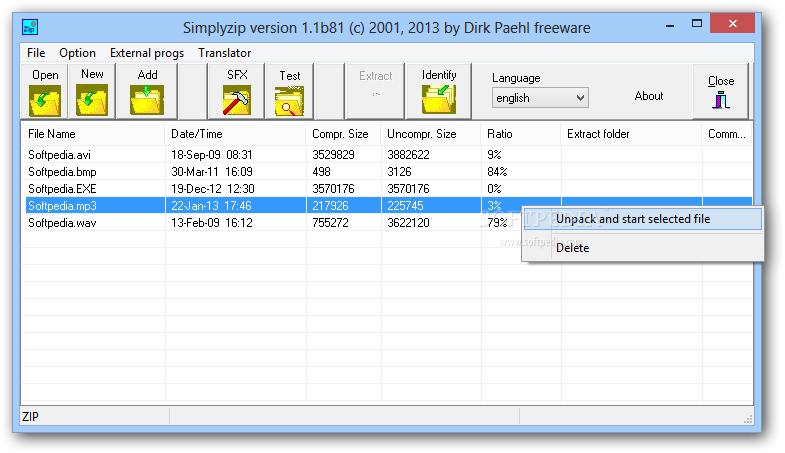
Simplyzip it's a free file archiver with encrypting capabilities.
Here are some key features of "Simplyzip":

· Open: ZIP, CZIP, ACE, CAB, RAR, TAR, GZIP, LZH, BZ2, SQX, RS, UUE, XXE, BASE64, UCL, ARJ, ZLIB, ALIB, RPM, DEB, 7-ZIP
· Create: 7z, ZIP, CZIP, Cab, LHA, TAR, TAR GZ TAR BZ2, ACE (optionale DLL), Deepfreezer, SQX, UCL, RS, ZIP-SFX/LHA-SFX, RAR-SFX, UUE/XXE, ZLIB and Base64.
· Multi-ZIP
· Backup to disk (e.g. CD)
· ZIP-Rpair
· Crypt files with:Rijndael AES/Twofish (both 256bit keysize) and Blowfish (448bit keysize) incl SFX creator and an ArcConverter
· Optional: See ArcConvert below
· Create RAR/ACE (new version) and LHA SFX (with optional files from my site)
· Localisation: English, German, Italian, Spanish, french, portugues-br, Swedish, Thai and Russian
· ZIPSFX now in English, German, French and Spanish (in the setup)
· Standalone: After installation you can copy all files from Simplyzip folder (excepted the uninst.exe) and use it whereever you want


External Mirror 1 [EXE] 

ZIP RAR ACE Password Recovery 2.00.09

This utility recovers lost passwords for ZIP, RAR, ACE archives

ZIP RAR ACE Password Recovery is an intuitive application that will allow you to recover misplaced or forgotten passwords for your ZIP, RAR or ACE archives.

External Mirror 1 [EXE]

PKZIP 12.40.0016


Compress and extract files of multiple formats. Compress data files to save on bandwidth and storage.

Why would you entrust your data to anything less? PKWARE, the originator of the ZIP file standard, delivers data compression that is so easy anyone can use it, yet powerful enough to meet the demands of even the toughest businesses. Transfer and store more data more efficiently and securely with the ZIP utility of choice.


PKZIP will compress and extract files of multiple formats.


With advanced usability and cross-platform compatibility, it helps your business transfer data more quickly and efficiently.


Easy to use and straightforward to deploy and control, it helps you optimize your computing resources without disruption.


ZIP compresses files up to 90 percent for more efficient data management on the desktop, server, and mainframe.


PeaZip 2.8 Beta


Free file archiver that supports: 001 (raw file split/join), 7z, 7zip sfx, Bzip2, Gzip, Pea, Tar, Z, Zip

PeaZip is an archiver tool that supports its native Pea archive format (featuring compression, split volumes, and flexible encryption and integrity check schemes) and other mainstream formats, with special focus on handling open formats.


Full support: 7Z, 7-Zip sfx, Bzip2, Gzip, PEA, split TAR and ZIP.


Browse/test/extract-only support for ARJ, CAB, CHM, CPIO, DEB, ISO, LZH, NSIS installers, OOo files, RAR, RPM, Z.


PeaZip's UI aims giving aid to the user to: edit, save and restore layout of archives (input files and folders list) to speed up definition of archiving and backup operations; save job definition, as plain text, to be used in scripts or for learning purpose; have a detailed job log after each operation.


The interface is fully skinnable (skins can be customised and saved as plain text to be re-edited as freely as possible) and uses customisable transparency.


PeaZip doesn't need to be installed/unistalled, it can run from any path (even remote; a writeable path is recommended), however Windows version is released both as a standalone binary and as a fully automated installer/uninstaller package, allowing tight system integration to use PeaZip right from Explorer.


PeaZip fundamentally acts as a graphic frontend for Pea executable (graphical) from the same Author and for Igor Pavlov's 7za executable(Myspace's 7z POSIX port under Linux), that can run  in console mode or through a graphical wrapper to allow m


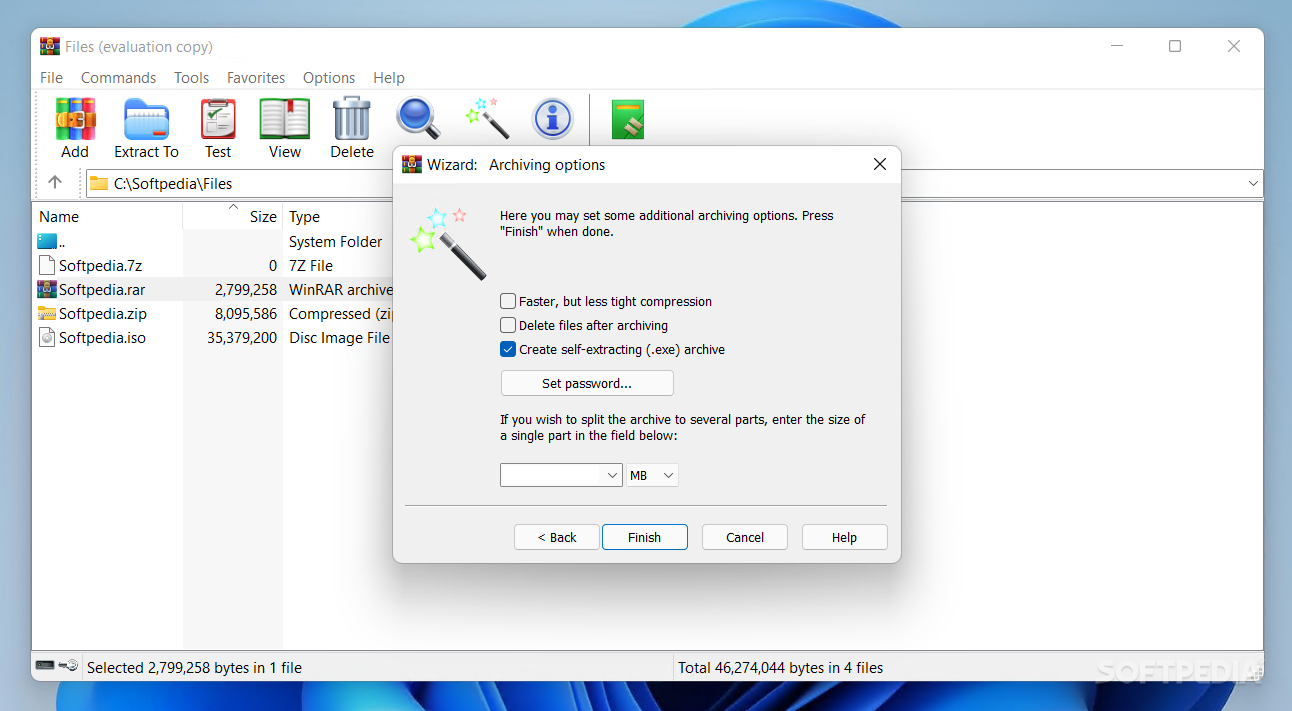
WinRAR 3.91 Beta 1


A very powerful archiver and archive manager for home or office use

WinRAR is a powerful compression tool with many integrated additional functions to help you organize your compressed archives.


WinRAR puts you ahead of the crowd when it comes to compression. By consistently creating smaller archives, WinRAR is often faster than the competition. This will save you disc space, transmission costs AND valuable working time as well.


WinRAR supports all popular compression formats (RAR, ZIP, CAB, ARJ, LZH, ACE, TAR, GZip, UUE, ISO, BZIP2, Z and 7-Zip).


WinRAR is ideal for multimedia files. WinRAR automatically recognizes and selects the best compression method. The special compression algorithm compresses multimedia files, executables and object libraries particularly well.


WinRAR allows you to split archives into separate volumes easily, making it possible to save them on several disks for example.


WinRAR is also ideal, if you are sending data through the web. Its 128 bit password encryption and its authenticated signature technology will give you the peace of mind you have been looking for.


WinRAR is shareware, meaning you have the chance to thoroughly test it. The program can be used absolutely free of charge for 40 days.


WinRAR licenses are valid for all available language and platform versions. If you have purchased several licenses, you can even mix versions to meet your own personal needs.


WinRAR gives you all future UPDATES for FREE! Not like the competition that will make you pay again every one or two years.

DOWNLOAD Beta x32

DOWNLOAD Beta x64  

Tuesday, October 27, 2009

WinRAR v3.90

WinRAR is a 32-bit Windows version of RAR Archiver, the powerful archiver and archive manager. The developer of WinRAR claims it allows higher compression ratios than other archiving tools, especially on executable files, object libraries, and large text files. Testing on a variety of file types showed compression rates 10-15% better than on identically created ZIP files. WinRAR also offers a compression algorithm highly optimized for multimedia data. Included in this package are both Windows RAR graphical interfaces and a command-line program. They allow you to manage non-WinRAR archives (such as .arj and .lzh formats, if you have those archivers on your system, and .cab and .zip files directly through WinRAR), letting you update, transform to self-extracting archives, or add and erase comments. WinRAR also features six compression levels, multiple volume archives, password-protected archives, repair of physically damaged archives, and support for authenticity and update information. Although WinRAR is not as popular as other archivers, it offers some advantages and is worth checking out.

Download WinRAR v3.90

WinRAR v3.90 (64-bit)

WinRAR is a 32-bit Windows version of RAR Archiver, the powerful archiver and archive manager. The developer of WinRAR claims it allows higher compression ratios than other archiving tools, especially on executable files, object libraries, and large text files. Testing on a variety of file types showed compression rates 10-15% better than on identically created ZIP files. WinRAR also offers a compression algorithm highly optimized for multimedia data. Included in this package are both Windows RAR graphical interfaces and a command-line program. They allow you to manage non-WinRAR archives (such as .arj and .lzh formats, if you have those archivers on your system, and .cab and .zip files directly through WinRAR), letting you update, transform to self-extracting archives, or add and erase comments. WinRAR also features six compression levels, multiple volume archives, password-protected archives, repair of physically damaged archives, and support for authenticity and update information. Although WinRAR is not as popular as other archivers, it offers some advantages and is worth checking out.

WinZip v14.0 build 8652


WinZip® is the most trusted way to work with compressed files. No other compression utility is as easy-to-use or offers the comprehensive and productivity-enhancing approach that has made WinZip the gold standard for file-compression tools.

With the new WinZip 12, you can quickly and securely zip and unzip files to conserve storage space, speed up e-mail transmission, and reduce download times. State-of-the-art file compression, strong AES encryption, compatibility with more compression formats, and new intuitive photo compression, make WinZip 12 the complete compression and archiving solution.

Building on the favorite features of a worldwide base of several million users, WinZip 12 adds new features for image compression and management, support for new compression methods, improved compression performance, support for additional archive formats, and more. Users can work faster, smarter, and safer

Thursday, October 22, 2009

PowerArchiver Command Line 6.00 Beta 1 / 5.0 Beta 2 / 4.01

PowerArchiver Command Line screenshot 1

A free console utility for Windows which includes full built-in support for archives

PowerArchiver Command Line Support Add-On is a free console utility for Windows which includes full built-in support for creating ACE, CAB, LHA (LZH), TAR, ZIP, CAB, LHA (LZH), BH and JAR archives, as well as extracting ZIP, RAR, ARJ, GZIP, BH, ZOO, ARC, JAR, XXE and UUE archives.
PowerArchiver Command Line (PACL) 4.01 is the command line version of award-winning PowerArchiver for all Windows console environments. It fully supports a variety of the most popular compressed file formats, including: ZIP, CAB, JAR, TAR, TAR.GZ, TAR.BZ2, yENC, Base64, CAB SFX and many others. PACL 4.0 also includes 5 different encryption methods.
PACL was designed to be a versatile, reliable and scriptable application that can be used in many different configurations and scenarios.


External Mirror 1 - Beta [EXE]


External Mirror 2 - Beta [EXE]


External Mirror 3 [EXE]

Wednesday, October 21, 2009

RarZilla Free Unrar 2.54

RarZilla Free Unrar screenshot 1

Start decompression by drag 'n' drop, double click or shell integrated context menu.

RarZilla Free Unrar is a simple and easy-to-use decompression tool for RAR-archives that supports spanned archives as well as the extraction of password protected files.
Decompression can be started by drag 'n' drop, double click or shell integrated context menu.
To speed the whole process up, RarZilla has the option to define a default output folder or a default password or both.

Download button

SFV Checker 1.21

SFV Checker screenshot 1

Ensure your multi-volume file archives are complete and accurate

SFV Checker is a useful program which helps you check that all multi-volume file archives are really complete and accurate!
SFV Checker uses CRC-32 technology to check each file and notifies you of any potentially bad, corrupt, incorrect size or missing files to save you hours of downloading only to find you have 1 file missing or the last file has a CRC checksum error.
The CRC value comparison is done by using a standard SFV file. If an SFV file is not available, you can drag and drop the file into the list view to produce the calculated CRC value. An informative report log is generated after file scanning that provides a list of missing and inconsistent files, as well as, a summary for the archive.
SFV Checker can also concatenate files in the list and rename multi archives on the fly, e.g. Correct file naming for .001, .002, .003 files into .rar, .r00, r01 files.
SFV Checker supports RAR, ARJ, ACE and ALL other Binary/Text file types.


Download button

Zipstar 5.63 Build 5680

Zipstar screenshot 1

A free archiving application for home users.

ZipStar is an archiving application for home users. Use it to create and unpack the archive formats ZIP, SQX and CAB.
ZipStar relies on the well-known Squeez technology, one of the fastest engines for file compression and extraction which is also used in SpeedCommander and Squeez.
Thanks to the integrated Quick View for the most common file and multimedia formats you can view files within archives without first having to extract them. You can compress and extract files directly from Windows Explorer!


Download button

IZArc 4.0 Build 1760 Beta 1 / 3.81 Build 1550

IZArc screenshot 1

Archiving tool that suports many formats

IZArc (known as IZip) is an archiving tool suports many archive formats like: 7-ZIP, A, ACE, ARC, ARJ,B64, BZ2, BH, CAB, BZA, CPIO, ENC, DEB, GCA, GZ, GZA, HA, JAR, LHA, LIB, LZH, MBF, MIM, PAK, PK3, RAR, RPM, TAR, TAZ, TBZ, TGZ, TZ, UUE, XXE, YZ1, Z, ZIP, ZOO.
IZArc allows you to drag and drop files from and to Windows Explorer, create multiple archives spanning disks, view and write comments and there is an integrated password detector, allows you to find the passwords of one password protected zip file.
With a modern easy-to-use interface, IZArc provides support for most compressed and encoded files, as well as access to many powerful features and tools. It allows you to drag and drop files from and to Windows Explorer, create and extract archives directly in Windows Explorer, create multiple archives spanning disks, creating self-extracting archives, repair damaged zip archives, converting from one archive type to another, view and write comments and many more.
IZArc has also build-in multilanguage support.
With IZArc you can open CD image files like ISO, BIN, CDI and NRG. It is also possible to convert such files from one type to another (BIN to ISO, NRG to ISO).
If you need to send large files to your colleagues, friends or customers who may not have archiving tool you can easily create self-extracting archive that can be extracted by simple double click.
IZArc can be configured to run your preferred Anti-Virus scanner when you open any archives.
IZArc supports 256-bit AES encryption to secure your data.
IZArc is integrated in Windows so you can perform all archiving operations by using right-click menus in Windows Explorer. If you have broken archives IZArc can help you to repair them with ease.
IZArc is 100% virus free and it doesn't contain any spyware or adware. IZArc is the most complete archive utility available today.


Download button

Zipghost 3.71 Build 535

Zipghost screenshot 1

Batch compression and Batch decompression utility

Zipghost is a powerful time-saving and easy-to-use 'Batch  compression' and 'Batch decompression' application.


Download button

Offset File Unzipper 0.3.3

Offset File Unzipper screenshot 1

An extremely useful tool to unpack the zip (zlib/gzip/deflate) data contained in any type of file

The Offset File Unzipper application was designed to be an extremely useful tool to unpack the zip (zlib/gzip/deflate) data contained in any type of file (like raw files, packets, zip files and anything else).
You must specify the offset where the zip data starts or you can use the useful search options able to find any possible zip data contained into the provided file and the options to extract zipped data.
It's also possible to choose a windowBits value for more compatibility (for example -15 for common zip files and so on).


Download button

ZIP RAR ACE Password Recovery 1.80.01

ZIP RAR ACE Password Recovery screenshot 1

This utility recovers lost passwords for ZIP, RAR, ACE archives

ZIP RAR ACE Password Recovery is an intuitive application that will allow you to recover misplaced or forgotten passwords for your ZIP, RAR or ACE archives.


Download button

7Z 0.8.0

#7Z screenshot 1

An easy-to-use and powerful basic archiver for Windows with some new features.

#7Z is an easy-to-use and powerful basic archiver for Windows with some new features.
Compression: 7-Zip, BZip2, Zip, GZip, Tar.
Decompression: 7-Zip, BZip2, Zip, GZip, Tar, RPM, DEB, CAB, ARJ, CPIO, Rar, CHM, ISO, LZH, NSIS, Z, Split.


Download button

SISContents 1.2.5. Build 43

SISContents screenshot 1

A tool that allows you to unpack and edit Symbian 9 SIS packages.

SISContents is a lightweight and useful utility designed to unpack and edit Symbian 9 SIS packages (Sony Ericsson UIQ 3.x platforms and Nokia S60 3rd Edition are supported).
It helps you to inspect the files contained in SIS package, to see certificates against which it was signed as well as to view the PKG script that describes the on-device installation process.


Download button

Zip Repair Tool 3.3

Zip Repair Tool screenshot 1

A smart, reliable and powerful recovery engine for a fast and accurate zip repair

Zip Repair Tool is a smart, reliable and powerful recovery engine for a fast and accurate zip repair.
If your WinZip & WinRAR files got corrupted or damaged & you want to retrieve data from them.SysTools Software provides an efficient , High performance & reliable Zip file Repair Software to repair Zip files created using WinZip, WinRAR or any other compression utility. Zip Repair Tool with cutting edge technology helps in repairing zip file and extract zipped files from corrupt zip file.
Corrupt Zip Repair Tool is used to restore music, images, documents, emails etc from corrupt ZIP files. Fully automated zip repair process and a user-friendly interface makes Zip repair process easy.The Software helps in Locating Corrupt Zip file $amp; scan the zip file to assess the damage. Zip File Repair Tool with its robust engine extract files from zip file with high speed & accuracy. Zip File Repair software is a powerful ZIP recovery utility to open ZIP files & extract ZIP files.
Zip File Repair Tool reconstructs broken zip files to recover images, pictures, music files, email mailbox files, document files etc from corrupt Zip Archives or compressed files corrupted due to CRC errors in downloaded zip, Virus Corruption , Broken downloads etc. ZIP file recovery software repair zip files which displays errors like: "CRC (cyclic redundancy check) errors", "Cannot open file: it does not appear to be a valid archive".
SysTools Zip Repair Tool is Zip File Reader, Zip reader tool as it reads & open corrupt zip files. ZIP File Repair Software perform zip repair to recover files & folders from corrupt .zip files created using WinZip, WinRAR or any other compression utility on Windows NT, Windows 2000, Windows XP, Windows 2003 Server.Download free Demo version of the software to stack corrupt Zip files.


Download button

Stock Spy 1.7

Stock Spy screenshot 1

A groundbreaking software application which unleashes the potential hidden within stock news

Have you ever seen a stock chart and wondered what made the stock shoot up like a rocket or drop like a rock? Stock Spy enables you to easily visualize and pinpoint important company events directly on a stock chart to make smart investment decisions. It clearly displays the news and company events which cause the price movements - directly on the chart. Stock Spy shows you relationship the between stock news and stock price.
Stock Spy's unique NewsChart system simplifies stock research. NewsVolume charts allow important company events to literally, "pop up". You see at a glance how news buzz of a stock has changed over time. You can select a time range with your mouse directly on the chart and narrow your focus to the selected news.
Stock news headlines are automatically displayed for your selection and the full story is always one click away. Stock Spy includes smart: filtering, highlighting and categorization of news. Stock Spy's FinanceTerms system works with NewsCharts to highlight import types of stock news events. FinanceTerms analyse the stock news for key terms (For example: "Upgrade", "Analyst", "SEC Filings" etc.).
FinanceTerms let you mark each occurrence of these categorized news items directly on the chart so you can pinpoint when certain types of events happened and what impact they made on the stock. Stock Spy keeps you updated with the latest news related to your stocks with Stock Spy NewsAlerts on your desktop. You are notified about important news which can make you quick profits or save you from devastating losses. .


Download button